Intro

Android is very fragmented with 200+ manufacturers and 12,000+ different device models. It is very hard to fix an issue when you can’t reproduce it on your testing devices. So how do you fix it? Crashlytics is your answer.
I am sure most of you are already using Crashlytics simply because it is very easy to setup. In many cases the Crashlytics reports are straight forward.
NullPointerException at class abc.java line 20
We know exactly what issue has happened at which line of the code.
However, some reports are not so self-explanatory:
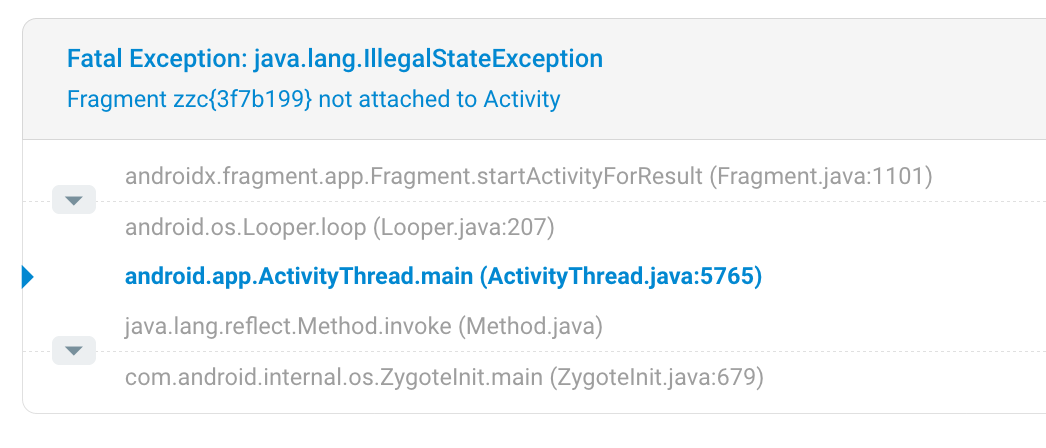
You need more context to fix the above issue. Which screen is it? What was the last event (e.g. a button click)? Did the user press the home button and then come back?
I am going to share some extra tips to understand and tackle issues better.
Crashlytics.logException()
Handle try/catch
This is a very simple example you can make use of Crashlytics. Some critical exceptions are not being reported to the developer since the code is wrapped inside the try/catch statement. How can you fix the root cause if it doesn’t get reported to the developer? In this case, you can log a non-crashing report to Crashlytics so that you can fix the root cause.
try {
  (code)
} catch(Exception e) {
  Crashlytics.logException(e);
}
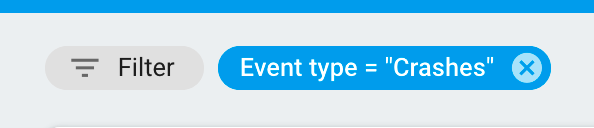
From the Crashlytics dashboard, you have to remove the Event type = “Crashes” filter in order to see the Crashlytics.logException() reports.
Report custom messages
What if you want to report cases where no exception has happened? You can report a custom message by following:
if (response == null) {
  Crashlytics.logException(new Throwable("Response is null - this should have never happened"));
} else if (response.code == 501) {
  Crashlytics.logException(new Throwable("Response code 501 received"));
}  else if (response.code == 502) {
  Crashlytics.logException(new Throwable("Response code 502 received"));
}
Divide one report into separate reports
if (response == null) {
  Crashlytics.logException(new Throwable("Response is null - this should have never happened"));
} else if (response.code == 501) {
  Crashlytics.logException(new Throwable("Response code 501 received"));
}  else if (response.code == 502) {
  Crashlytics.logException(new Throwable("Response code 502 received"));
}
From the above example, all three logExceptions will be reported as a single Crashlytics log. It is because logExceptions are grouped by methods. If you want a separate Crashlytics log per condition, then create a separate methods like following:
private void handleResponse(Response response) {
 if (response == null) {
   logResonseNull();
 } else if (response.code == 501) {
   logResponse501();
 } else if (response.code == 502) {
   logResponse502();
 }
}private void logResonseNull() {
 Crashlytics.logException(new Throwable("Response is null - this should have never happened"));
}private void logResponse501() {
 Crashlytics.logException(new Throwable("Response code 501 received"));
}private void logResponse502() {
 Crashlytics.logException(new Throwable("Response code 502 received"));
}
Crashlytics.log()
You can use Crashlytics.log() to understand the situation.

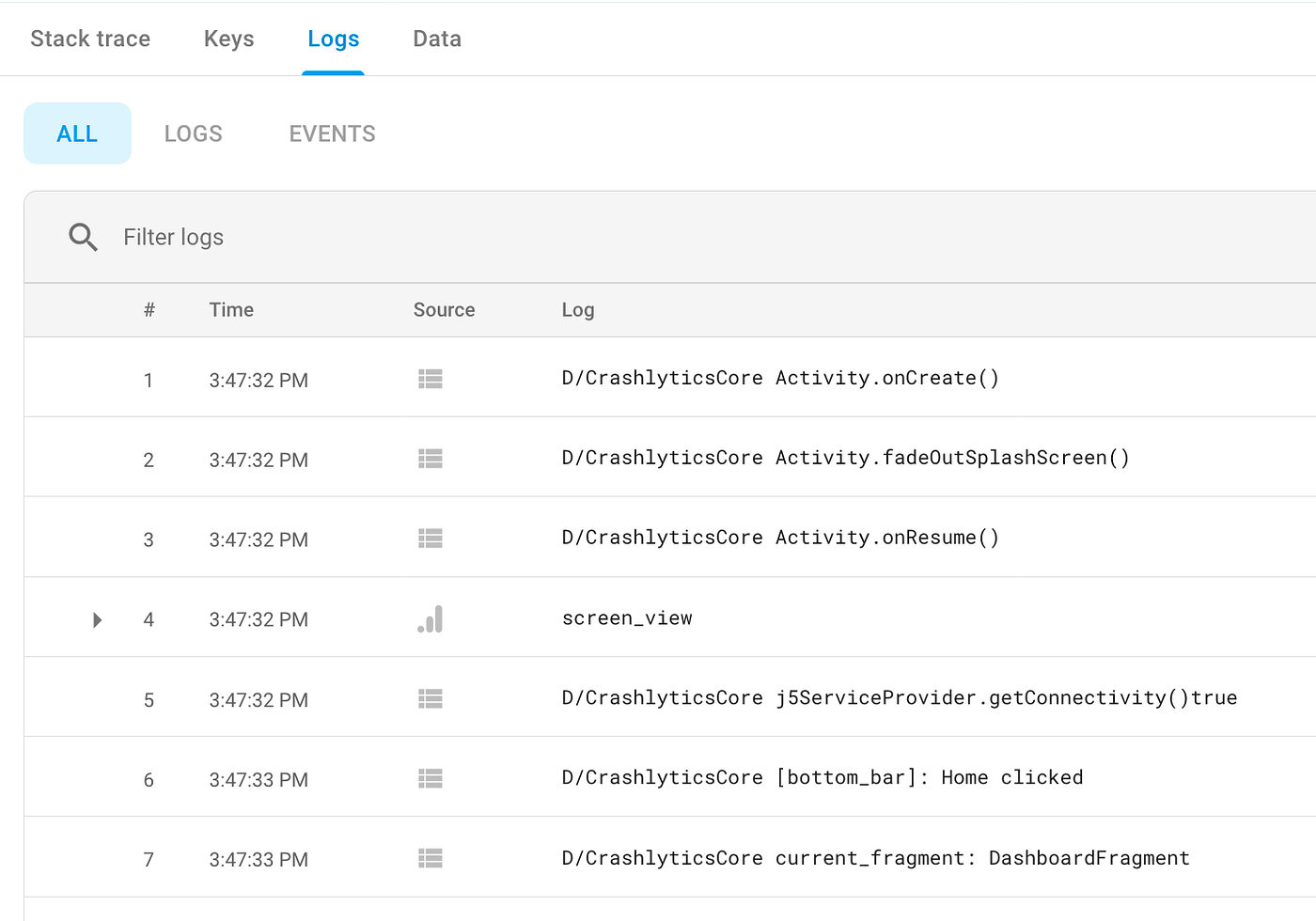
Sometimes, viewing the stack trace of the crash/logException is not self-explanatory. You can write logs to add more context.
Note: Using Crashlytics.log()does not produce a report by itself. The list of logs created by Crashlytics.log()s get attached to a crash report. I wrote a bunch of Crashlytics.log()s and wondered why I could not see the reports. I hope you don’t make the same mistake.
You can see below that logs get attached to a report under the Logs tab. Line #1–7 except for #4 are all recorded by using Crashlytics.log(). #4 is recorded by the Google Analytics. GA can also work as a log for Crashlytics.
Log current screen
The first question you might have when you encounter a bug is on which screen did it happen?
You can write the following code to BaseFragment:
@Override
public View onCreateView(LayoutInflater inflater, ViewGroup container, Bundle savedInstanceState) {
    logCurrentFragment();
    return super.onCreateView(inflater, container, savedInstanceState);
}private void logCurrentFragment() {
 try {
  // this.getClass().toString() returns following:
  // "class com.joshua.example.DashboardFragment"
  // changing it to:
  // "DashboardFragment"
  String fragmentName = this.getClass().toString();
  if(!TextUtils.isEmpty(fragmentName) && fragmentName.contains("."))
  {
   int indexToDelete = fragmentName.lastIndexOf('.') + 1;
   if(indexToDelete < fragmentName.length())
   fragmentName = fragmentName.substring(indexToDelete);
  }
  PLog.currentController = fragmentName;
  Crashlytics.log("current_fragment: " + fragmentName);
 }catch (Exception e) { }
}
Then, it will log the fragment name every time you navigate to another fragment.
Log event/action
Crashlytics.log("AbcFragment:OnClick_OK()");
If you log important events/actions (e.g. a button click or a deeplink received), then you will know at least what was the last action a user has taken right before the error. This will significantly reduce the time to identify the unknown issues.
Log Activity lifecycle
@Override
protected void onResume() {
    super.onResume();
    Crashlytics.log("Activity.onResume()");
}
Sometimes an app crashes because a process has been interrupted by a phone call or by pressing home and coming back. Logging the Activity lifecycle will help you catch them.
Log Http response
When the server returns an unexpected error code (i.e. 4xx or 5xx error codes), you might want to record the incident.
if (error instanceof HttpException) {
 String url = ((HttpException)error).response()
       .raw().request().url().url().toString();
 String code = (HttpException) error).code();
 Crashlytics.logException(new Throwable("url: " + url + " code: " + code));
}
Note: Be careful not to log any sensitive/private data sent from the server.
Log user identifier/email
Crashlytics allows you to save the user identifier and the email:
//set
Crashlytics.setUserIdentifier("1234");
Crashlytics.setUserEmail("hello@example.com");// reset
Crashlytics.setUserIdentifier("");
Crashlytics.setUserEmail("");
This information is visible under the Data tab:
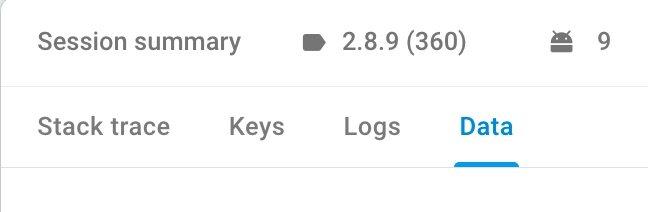
Note: Logging the email address may violate the privacy policy. I believe you need to state it in the privacy policy document link if you are going to use setUserEmail(). However, I am not a legal expert so don’t take my words for it.
Logging id/email can be very useful when a customer complains that there is an issue. You can search by user ID to see if there is any crash or a silent Crashlytics.logException() has been logged for that user.

Happy coding!
